How to verify onion link signatures with PGP, and spot a phishing copy
To verify an onion link, you settle three things, in this order: that the PGP key is really the site's, that a message signed with that key carries the address in full, and that this signature is the newest one the key has made. Learning how to do all three takes one evening with Kleopatra or gpg. Comparing an address with your memory, a screenshot or its first few characters settles none of them, and since October 2026 the third check matters as much as the other two: a genuine address whose onion key has leaked still loads, still matches every saved character, and can be serving someone else's copy.
What a Good signature proves, and what it leaves open
Each check closes one door and leaves the next one open, which is why skipping any of them undoes the rest.
| Check | What it rules out | What it leaves open |
|---|---|---|
| The signature is good | Any change to the signed text after signing, down to one character, and any list forged by someone without the private key | Whose key it is |
| The fingerprint matches the key you settled on | A second key made to "sign" a fake list | Whether the site's owners still control their onion addresses |
| The whole address is in the signed text | A lookalike built to match the start and the end | Whether that address has been retired since |
| It is the newest signature from that key | A retired address, including one taken over after a key leak | Anything about the site's honesty. A genuine market with a perfect signed list can still exit |
The order is not a formality. A Good signature from the wrong key is the most convincing thing a phisher can hand you, so the key question comes before the signature check every time.
Where to get a site's public key
The key has to reach you by a different road from the address. If one page gives you both, the check is circular: whoever wrote the address onto that page could write the key too. In order of how far we trust them:
- A copy you saved yourself from the site, on an earlier visit through an address you had already checked. A phisher cannot reach back and change a file on your computer.
- The site's own key page, reached through an address on its signed list. Markets usually link their key from the login page or the footer; forums keep it in a pinned post.
- The key behind the site's announcements on Dread, where the same key has to sign post after post for months. A long trail of signed posts is hard to fake. Dread itself moved address in October 2026, so settle that first with our guide to the Dread link and its move.
- A key from a link page, a directory or a message. Useful as a cross-check against one of the above, never on its own.
Then look at when the key was made. gpg prints the creation date on the pub line of gpg --list-keys, and Kleopatra shows it in the Valid From column. A key created last month cannot be the signing key of a market that has signed its lists since 2025, unless the old key signed a message handing over to it.
The first visit to any site is the weak point, because there is nothing saved to compare against. You shore it up by agreement: the same fingerprint on the site's key page, behind its Dread announcements, and on the older signed messages that verify with it. A phisher would have to fake all three places at once.
Checking the fingerprint, all 40 characters
A key's fingerprint is a hash of the key itself, shown as 40 hexadecimal characters in ten groups of four (newer v6 keys have 64; the rule does not change). It is the only short form of a key worth comparing. The key ID, which is the last 16 or the last 8 characters of the fingerprint, is a label and nothing more: keys sharing the last eight characters of a real key can be generated quickly on ordinary hardware, and that trick has been used against PGP users for over a decade.
To see a fingerprint, run gpg --fingerprint followed by the key's name or ID, or double-click the key in Kleopatra. Compare it with your reference group by group, left to right. Better still, paste the fingerprint into a text editor's search box over your saved copy and let the search do the comparing.
Once you are satisfied, certify the key locally: gpg --lsign-key with the fingerprint, or Certify in Kleopatra with the certification kept for yourself only. From then on gpg stops warning that the key is uncertified, so if that warning ever comes back on a message that claims to be from the same site, you are looking at a different key. Keep the certification local. An exportable one is a signed, shareable statement from your key that you vouch for a market's key.
Verifying a signed message in Kleopatra
Kleopatra comes with Gpg4win on Windows and is built into Tails. If you have never imported a key or opened its notepad, our guide to using PGP covers the setup first.
- Import the site's key. Click Import and pick the
.ascfile, or paste the key block into the Notepad and click Import Notepad. If Kleopatra offers to certify the key straight away, decline until you have compared the fingerprint. - Paste the signed message into the Notepad, from the
-----BEGIN PGP SIGNED MESSAGE-----line to the-----END PGP SIGNATURE-----line. Copy from a plain-text view if the site has one; a styled web page can turn line breaks into spaces or straight quotes into curly ones, and either breaks the signature. - Click Decrypt / Verify Notepad.
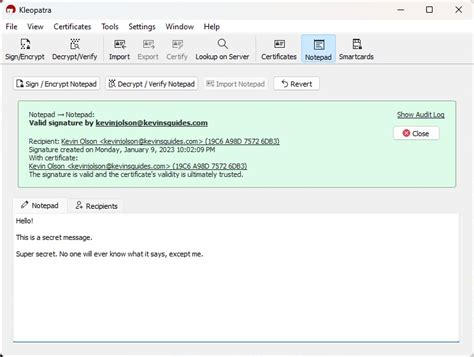
- Read the result. A valid signature shows in green with the signer's name; a bad one in red; a key you have not imported shows as an unknown certificate. Open the details for the signing time and the fingerprint.
- Compare that fingerprint with the one you settled on, then search the signed text for the address you mean to use.
Verifying with gpg on the command line
gpg is the engine under Kleopatra and is already on most Linux systems. The GnuPG manual documents every option; these are the four you need.
- Import the key with
gpg --import site-key.ascand check it withgpg --fingerprint. - Save the signed message in a plain text editor as
list.asc. A word processor will "fix" quotes and dashes and break it. - Run
gpg --verify list.ascand read the result lines, explained below. - Run
gpg --decrypt list.ascand search what it prints for the address. That output is the signed part and only the signed part.
Good signature, BAD signature, and the warnings in between
gpg reports in fixed phrases, and Kleopatra says the same things in its own words. What each one means for the address you are checking:
Good signature from "…"- The signed text has not changed since the holder of this key signed it. It says nothing about whose key it is; the fingerprint printed a line or two below is what settles that.
WARNING: This key is not certified with a trusted signature!- Normal for any key you have not certified yourself, and it does not weaken a Good signature. It is gpg reminding you that the fingerprint comparison is your job.
BAD signature from "…"- The text was changed after signing. A clumsy copy causes it more often than a forger does: a line that wrapped, a lost dash, a curly quote. Recopy from plain text once. A BAD signature that survives a clean copy means the list was edited, and you throw it away.
Can't check signature: No public key- The key that made the signature is not in your keyring. The line above gives its ID. That is the key you would need, and fetching it from the same page as the message proves nothing.
Note: This key has expired!- The key's validity date has passed. Sites extend their expiry dates and republish the key, so import the current copy from the site. A key that expired months ago and was never extended belongs to a site that has stopped signing.
WARNING: This key has been revoked by its owner!- The owner has declared the key dead. Nothing it signed after the revocation counts, and when two lists disagree, the one under a revoked key loses.
Why the first and last characters prove nothing
A current onion address is 56 characters before .onion: the site's 32-byte public key, a two-byte checksum and a version byte, encoded in base32, as the Tor specification for onion addresses lays out. The checksum catches typos. Change one character at random and Tor Browser refuses the address outright, so a mistyped link is not the danger.
A lookalike is. It is a perfectly valid address of its own, made by generating keys until one produces the opening characters the faker wants, with free tools that match the first seven or eight characters within hours or days on an ordinary computer. The last character costs nothing at all: the version byte makes every current address end in d. That is why "starts with the right letters and ends in d" describes almost every phishing address in use.
Compare by search, never by eye. Paste the address into the find box over the verified text; if the search finds nothing, the address is not on the list, however close it looked. On paper, compare in blocks of eight. Nobody reads the middle of a 56-character string reliably, and the middle is where a good fake differs.
Where phishing onion links come from
A phishing link needs a way in front of you, and there are only a handful:
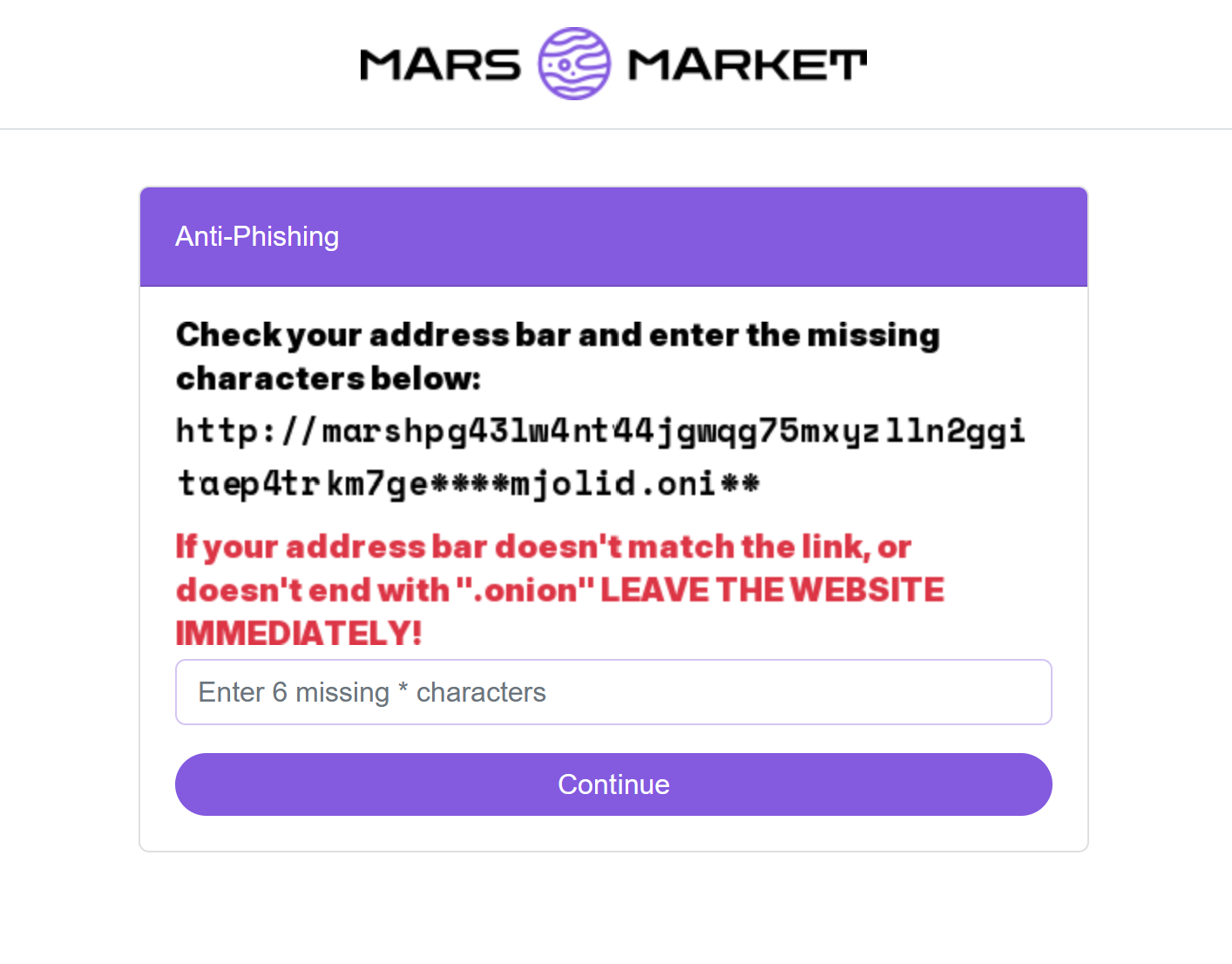
- Search results for "[name] link". The pages that rank for a market's name include some that make their money from the logins they collect.
- Directories and status pages that list addresses with no signed message behind them. Some are honest and out of date, some are run by phishers, and nothing on the page tells you which. The markets live this month, with the date each was checked, are on our darknet market list.
- Private messages, comments and forum replies, mostly from new accounts and mostly during outages: "the main mirror is down, use this one".
- Genuine signed messages with a line added outside the signed block, as above.
- A Tor Browser from anywhere but the Tor Project. Modified builds that rewrite addresses and payment details on the pages you visit have been found in the wild. Check yours with the Tor Project's instructions for verifying Tor Browser.
- Clipboard malware on your own computer, which swaps a coin address you copy for one of its own, and can do the same to an onion address. The search against the signed text after you paste catches it. Keeping the machine itself clean is part of the wider darknet OPSEC guide.
- A genuine address that someone else now runs, which is the case the next section deals with.
When a site's onion key leaks
An onion address is a public key. The matching private key, a file named hs_ed25519_secret_key on the site's server, is what lets a server answer at that address, and anyone holding a copy can run the address from any machine. Getting one used to take a server break-in or an operator's mistake. In October 2026 a flaw in GoBalance, the load balancer in the EndGame anti-DDoS kit that many large onion sites run, made it possible to work the private key out from data those addresses publish to the Tor network anyway. The technical analysis of the GoBalance flaw sets out how. Dread lost both of its old addresses that week, and Omega moved to a new one.
The attacker gets the address, not the servers or the database behind it. That is enough. Visitors who type the familiar address reach the attacker's machine, which can show them a copy, collect their passwords, or pass their traffic through to the real site and read it on the way.
Nothing revokes an onion address. The real operator can keep publishing the old address, but cannot stop the attacker doing the same, so a leaked address is never cleanly won back. The fix is a new key, a new address and a signed message retiring the old ones, and from the date of that message the old address is hostile. Tor Browser shows no difference at all: same address, same onion icon, same page.
Two signed lists that disagree: which one is current
This is where the signing date earns its place. What decides it:
- Both lists signed by the same key
- The later signature is the current list. gpg prints the time on the "Signature made" line, and Kleopatra shows it in the result details. The signer's computer set that time and nobody without the key can alter it.
- Lists signed by different keys
- The dates do not matter until the key question is settled. A newer list under a key you cannot trace back is the standard phishing move, and its date is whatever the phisher chose.
- The new key's first message is signed by the old key
- That is a genuine hand-over. From that message's date, lists under the new key replace lists under the old one.
- One of the keys has been revoked
- Drop the list under the revoked key, whatever its date says.
A leaked onion key and a leaked PGP key are different accidents. The October 2026 flaw handed over addresses, not signing keys, so an attacker could run an old address but could not sign a newer list. The signed list is the one check that still works after a leak like that. Mars is the live example of two keys and two lists in circulation, and our Mars Market link guide works through which one holds up.
After a password went into a phishing page
Assume the page kept everything you typed and, if it was relaying, logged in as you at the same moment. What that costs depends on the site, so work through this in order:
- Reach the real site through a checked address and change the password before anything else. A relay already holds a live session, so speed matters more than tidiness here.
- On a market with account balances, change the withdrawal PIN too, and look for a withdrawal address you did not add. The balance is what the phisher came for. A walletless market has no balance to drain; there the danger is your next order being paid to the wrong address.
- Check the PGP key on your profile by fingerprint. If it has been swapped, the next login challenge is encrypted to the attacker, and that is the moment the account is lost for good. If it has, write to support in a message signed with your own key, which only the real owner can produce.
- Change the password anywhere else this identity used it. Captured logins get tried on every market and forum the phisher knows.
- If you typed or pasted a private key or its passphrase into any web page, that key is finished. Revoke it and make a new one, as the PGP guide describes.
- Delete the link from bookmarks and history, and work out where it came from. Whatever gave you one bad address will give you another.
Coins already sent to an address from a fake page are gone; nobody can pull a blockchain payment back. What is still yours to protect is the account and the next order, and both depend on the address check you skipped the first time.